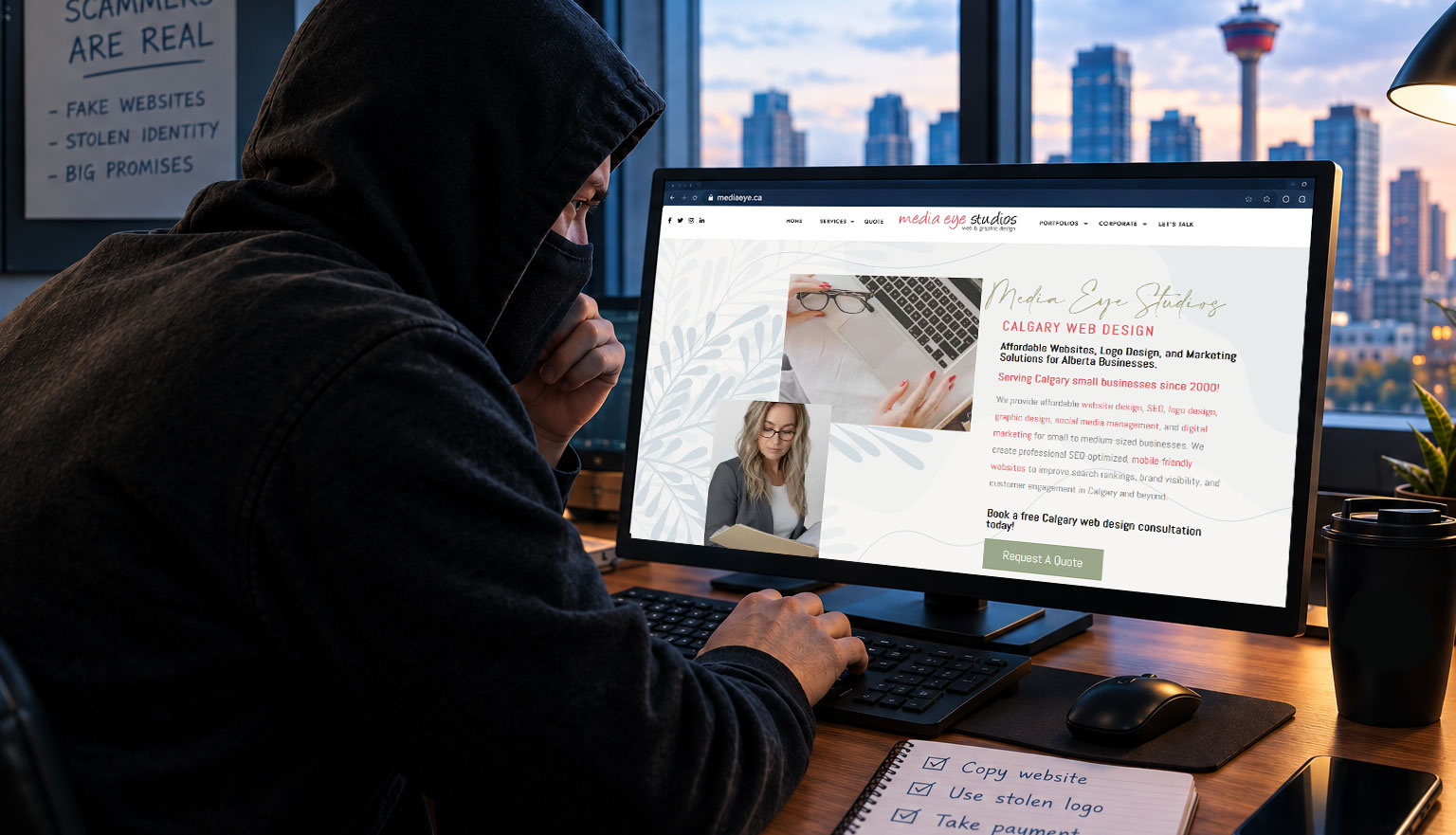
I spend a lot of time helping clients increase their online presence – from designing their website to search engine marketing to social media posts. I never expected that my own business identity would be used in an email scam.
Just last week I discovered that someone had created a fake Gmail account using my name and business information and was pretending to be Media Eye Studios. They reached out to many of my existing clients about website renewals and maintenance services and asked them to approve $550 worth of work.
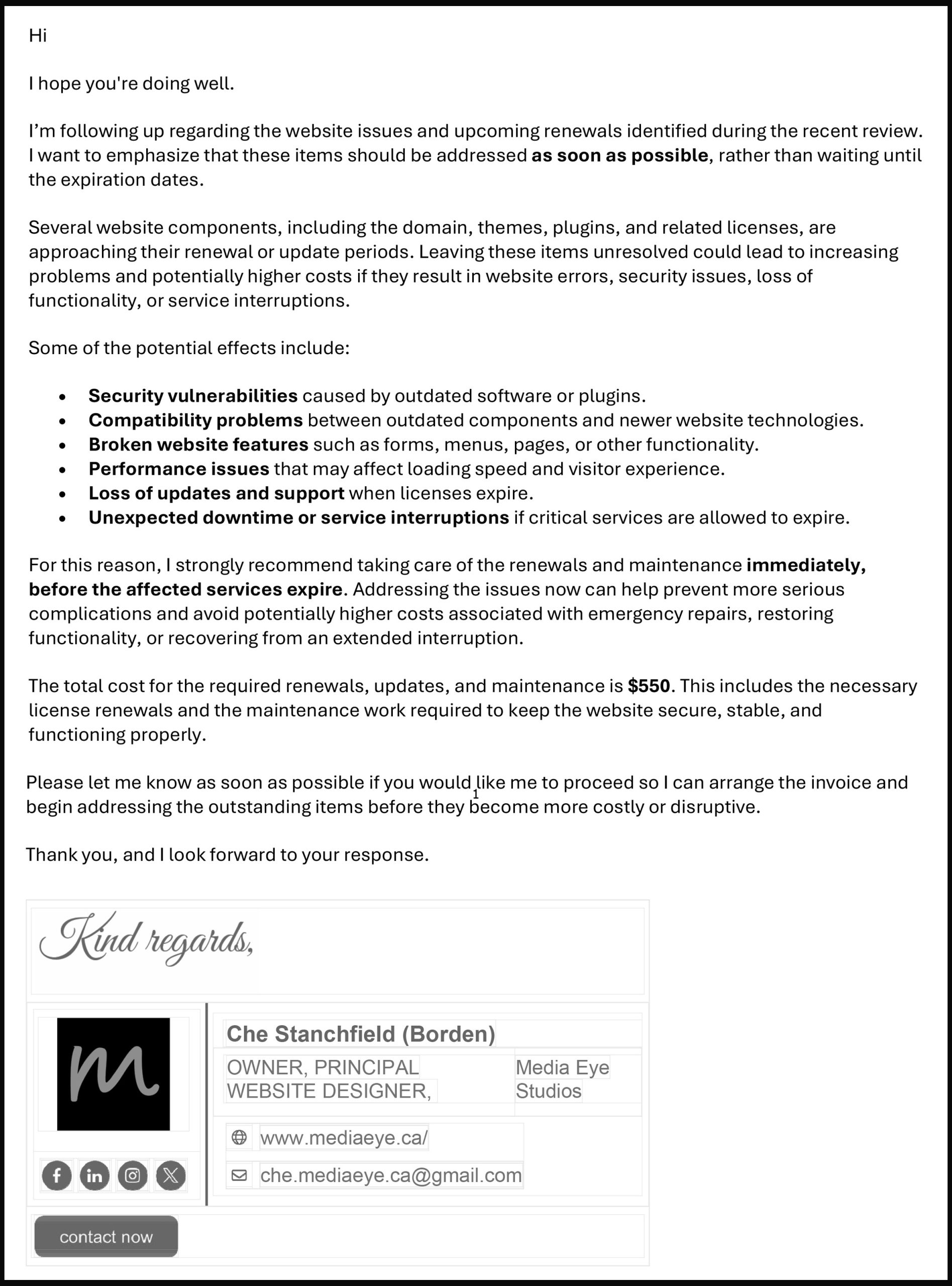
- My name
- My business name
- My photo
- My email signature design
- My website address
- My professional title
They even included my name with both my current and former last name. Giving the impression that it may be someone I know. It looks like it was sent from me but it was from a completely different email address. I do not use Gmail for business. Many people don’t look at the email address; they look at the email signature and trust it.
How did this happen?
The email was sent from a separate Gmail account created to impersonate me. Someone created it and then reviewed my portfolio for clients and grabbed their email addresses.
They probably gathered a lot of info from publicly available sources (image search, etc.) and previous email communications. Many business owners share information online without realizing how easily it can be copied and reused.
A website portfolio, social media, email signature, and public contact information can provide scammers with enough details to create a convincing impersonation.
How can you protect yourself?
- Question unexpected payment requests
One of the biggest warning signs is receiving a request to:
- Pay an invoice you weren’t expecting
- Change payment information
- Approve urgent work
- Send money to a new email address (always look at the email address)
Always verify these requests, such as calling the business or emailing their known address. Do not reply from the suspected scam email you received.
- Check the email address carefully
Scammers often create email addresses that look very similar to a real one. Don’t just look at the display name. The name that appears in your inbox can be easily changed.
For example:
- A real business email may be: name@company.com
- A fake one may be: company.name@gmail.com
- Two-factor authentication
Turn on two-factor authentication wherever possible to protect your own accounts online. It just adds another layer of protection.
- Review your publicly shared info
Take a look at your own website and social media profiles. Is your email listed? Do you list all your clients? Are you sharing too many personal details? You don’t need to remove everything, but a deep review of your information online could prevent this.
What should you do if you receive a suspicious email?
If you receive an email that seems out of place or not typical behaviour of someone you do business with do not reply and do not click any links! Contact the person via phone or a new email and ask if they sent you a request. Keep the original email because the detailed header information could be valuable. Report it if you can. I have submitted a Fraud Claim with Google and am still waiting to hear the outcome. I also have a complaint in with the online payment company they have set up in hopes they can be found.
The lesson I learned
Everyone that works in technology or online can become targets. The internet makes it easy for someone to ruin your reputation. Dishonesty and scams are everywhere. The best protection is slow down, double check, ask questions, don’t assume, and be diligent!
Bottom line – I hate scammers!!!